
Hi Guys Today we will Discus on the tropic of TCP and IP related to the Internet.
As I already discus about the Internet on my previous post, so here I have came with advance in this feild.
This post is written By Information Security Expert Jitendra Kumar Patel
How to install TCP-IP ver. 6 protocol in Windows XP.?
When we view list of components for network interfaces for windows we see many options such uninstall, but it is not present for TCP/IP since TCP/IP is mandatory and core component of windows box.
Today in this tutorial we are going to install TCP/IP version6 on windows Machine
To enable support for IPv6 networking.
Steps :
1. Open control Panel and select Network Connections..
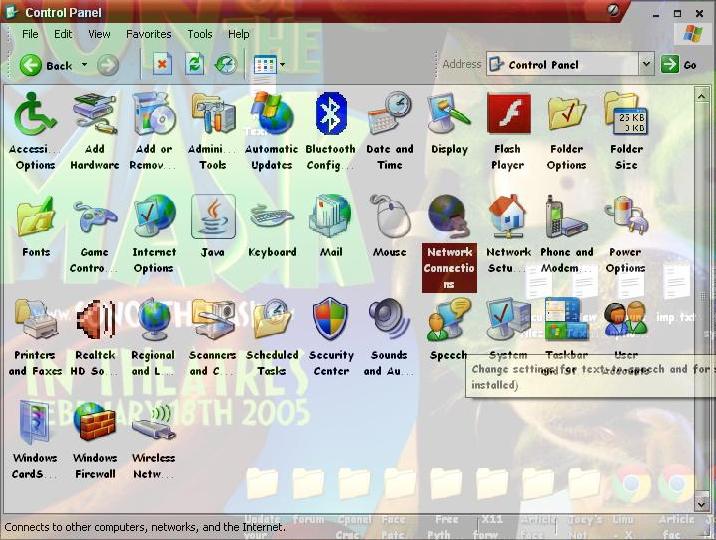
2.Select the required adapter and open its properties.
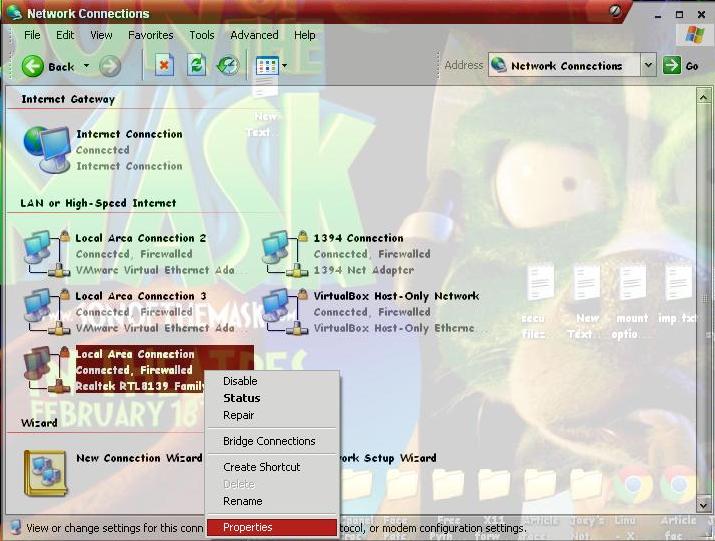
3.Click on Install .
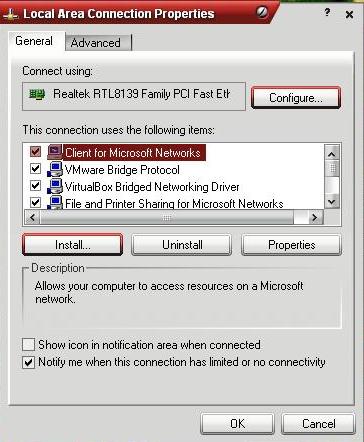
4.Select Protocol.
Also Read
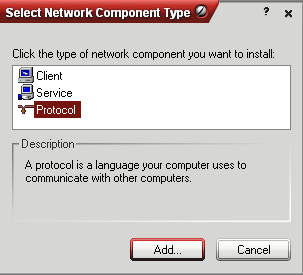
5.Select Microsoft TCP/IP version 6 and click on OK.
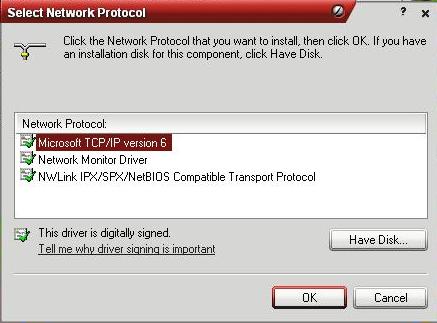
6.After clicking OK it will start installing the required services on the Machine.
Thats it and your Done the Installation.
Post Written By Jitendra Kumar Patel
Web Profiles
Web Site : http://www.bewithjitendrapatel.in
Google : https://profiles.google.com/jitendra.dinesh/about
Facebook :http://www.facebook.com/bewithjitendrapatel
LinkedIn : http://www.linkedin.com/in/bewithjitendrapatel
Blog : http://www.bewithjitendrapatel.blogspot.com
Thank you..
Community Discussion
Join the conversation. Ask questions, share solutions, and help others.
Be the first to start the discussion!