


Microsoft unveiled a broad OneDrive upgrade on 20 October 2026 at its fourth annual OneDrive + Copilot digital event, pairing new Copilot abilities that can build reports and reorganise files with a rebuilt sharing model called Hero Links, a one-million-item sync limit, and a command-line tool for IT admins.
What Copilot in OneDrive can now do
Copilot in OneDrive has moved beyond summarising a single document. According to Microsoft’s support documentation, it can now answer questions across many files at once, turn their contents into new presentations, PDFs, and HTML reports, organise files and folders to match how a user prefers to work, and automate repetitive tasks with reusable “skills.” The feature runs in OneDrive for Business on the web and requires a Microsoft 365 Copilot licence.
Microsoft’s admin notice MC1459130 shows these capabilities entered public preview between late August and late September 2026, with general availability scheduled for late December 2026. The notice states that Copilot works within each user’s existing permissions and grants no new access to files or sites. It also means organisations that opt out of the preview disable Copilot in both OneDrive and SharePoint because the two share a single tenant-level control.
Search is next. Copilot Search, which lets users describe a file in plain language instead of recalling its name, is listed on the Microsoft 365 roadmap (ID 573696) for preview in October 2026 and a wider rollout starting in January 2027, with the web versions of OneDrive and SharePoint arriving first. On iPhone, a separate update (MC1470417) adds an “Ask Copilot” option when selecting text in a PDF, letting users explain, summarise, or translate the passage; that rollout is due to finish in late October 2026.
Hero Links replace the pile of sharing links
The change most users will notice is sharing. Microsoft called Hero Links the biggest overhaul of OneDrive and SharePoint link sharing in “over a decade,”. Every file and folder now gets a single primary link, and the same URL is used whether it is copied from the share dialog, sent by email, or taken from the browser’s address bar.
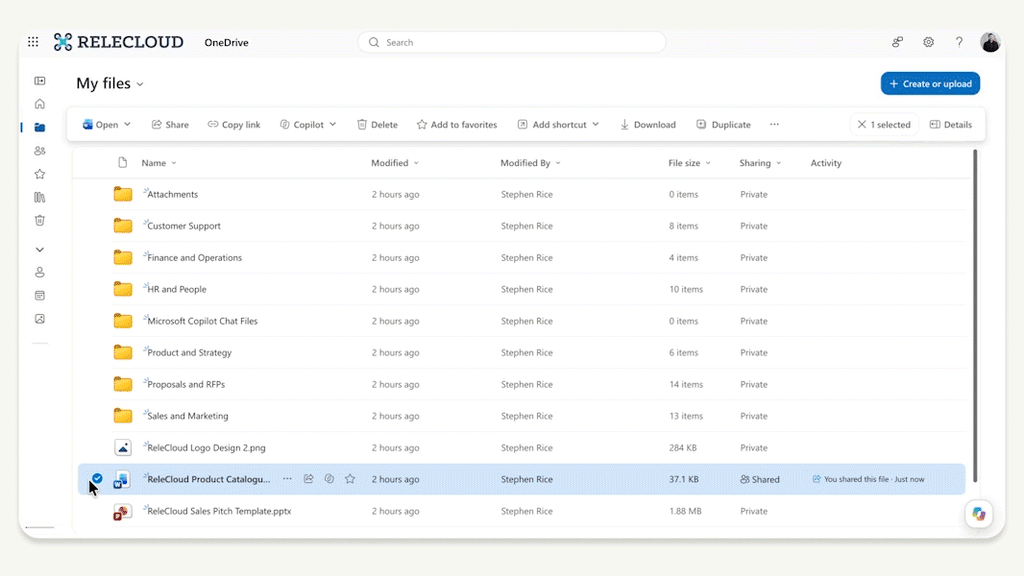
Permissions on that link can be changed after it has gone out, so a document first shared with a few colleagues can later be opened to the wider organisation without sending a new URL. By default, a Hero Link only works for people already added to the file, and admins can set default sharing audiences for individual sites or OneDrive accounts. Microsoft first previewed the model at its Microsoft 365 Community Conference in 2025 and had promised it for that year; it slipped into 2026.
Sync, Markdown and admin tools
OneDrive’s desktop client can now handle up to 1,000,000 items, up from a previous limit of 300,000. The higher ceiling launched in public preview on Windows in April 2026 and has strict requirements: Windows 11 or Windows Server 2022 and later, 16GB of RAM, an SSD, and an Intel Core i5, Ryzen 5, or Snapdragon X Plus class processor, per Microsoft’s admin notice. Devices that fall short stay at 300,000 items without disruption.
For administrators, Microsoft showed a preview of a OneDrive Sync command-line interface invoked with the odsync command. It reports configured accounts, client and CLI versions, folder backup settings, applied policies, and overall sync status, giving IT teams a scriptable view of deployments that previously meant digging through logs.
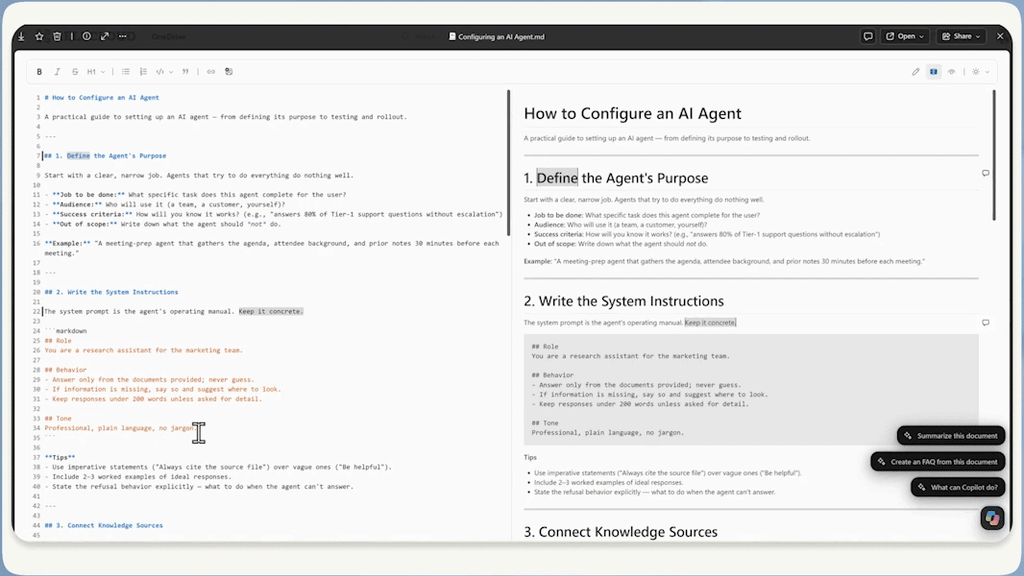
Markdown and HTML files, increasingly the output of AI agents, also get first-class treatment. HTML can be edited directly on the rendered page, and Markdown gets a WYSIWYG (what-you-see-is-what-you-get) editor with a standard formatting toolbar that still saves the file as Markdown. Neowin’s Ivan Jenic tied the change to agents, noting that Markdown has become a preferred format for writing AI instructions.
The agent push carries a deadline for existing users. From mid-November 2026, creating an agent in OneDrive or SharePoint opens Microsoft’s Copilot Agent Builder rather than producing a .agent file, and the old .agent format stops working from April 2027, according to admin notice MC1511052. Organisations that built agents earlier this year will need to upgrade them.
Availability
| Feature | Status | Requirement |
|---|---|---|
| Copilot in OneDrive (reports, organising, skills) | Preview now; general availability late December 2026 | Microsoft 365 Copilot licence, OneDrive for Business web |
| Ask Copilot in PDFs on iOS | Rolling out, completing late October 2026 | Microsoft 365 Copilot licence |
| Copilot Search in OneDrive and SharePoint | Preview October 2026; broader rollout from January 2027 | Web first |
| One-million-item sync | Public preview | Insiders ring, Windows 11, 16GB RAM, SSD |
| OneDrive Sync CLI (odsync) | Preview | Admins |
| New agents via Copilot Agent Builder | From mid-November 2026; .agent files end in April 2027 | Work or school accounts with Copilot |
Before the event, Windows Central had predicted it would not “break any major news.” Much of what Microsoft showed had, in fact, been trailed in admin notices and roadmap entries over the summer; the event’s role was to bundle those pieces into a single pitch for OneDrive as a home for AI-generated work.
Microsoft also highlighted photo features for consumers, but it has not yet published availability or subscription details for them beyond the existing AI Restyle tool for Microsoft 365 Premium subscribers.
Microsoft has not said whether the one-million-item sync limit will leave preview before the end of 2026, nor when Copilot Search will reach the OneDrive mobile and desktop apps. Home users on Microsoft 365 Personal and Family plans should not expect most of the work-focused Copilot features, which remain tied to the business licence.

Community Discussion
Join the conversation. Ask questions, share solutions, and help others.
Be the first to start the discussion!