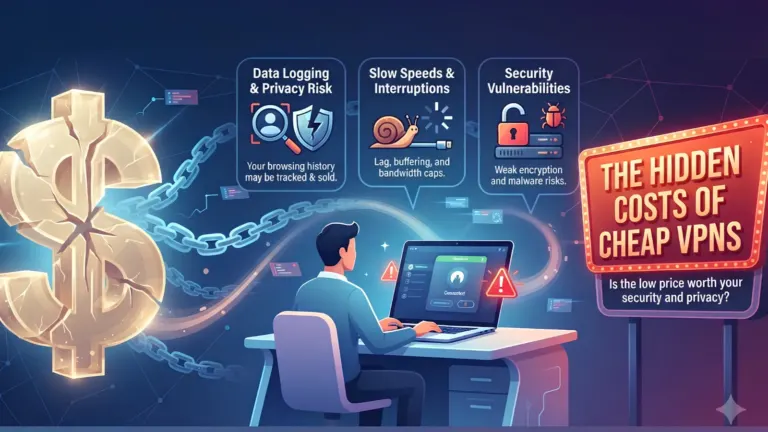


Purchasing a VPN can surprisingly become expensive without you even noticing. While the monthly subscription is small, the feature list and total contract length hide the actual cost of ownership.
But that’s not all; the commitment moves beyond all these. You are giving one company a privileged position between your device and the wider internet. And this requires additional checks before payment. While a low price can be useful, it can’t make up for vague logging terms, weak leak protection, or software that stops receiving security updates.
So, let’s take a moment to understand the factors you should consider before making a purchase.
Top 7 Checks That Matter for Buying a VPN
So, here are 7 pointers that you need to evaluate before you pay for the VPN:
Start With the Threat You’re Trying to Fix
The best place to start is the threat you are trying to eliminate. A VPN encrypts traffic between your device and its server to reduce exposure on shared networks, hide your home IP address from websites, and make routine tracking harder.
That does not mean it will stop a phishing page from collecting your password. Nor will it remove malware, repair a compromised browser extension, or protect files already copied to an attacker’s server.
So, first identify the issue you are facing. If it works from different locations using public Wi-Fi, the risks are different than on your home network. So, note the requirement and then decide; otherwise, the flashy extras will steer the decision.
Check the Logging Policy, Then Look Past It
“No logs” can mean several things. A provider may avoid recording browsing activity while retaining connection timestamps, device details, bandwidth use, or server location choices.
So, open the privacy policy document and search for the following terms:
- IP address
- Session
- Retention
- Diagnostic data
- Third party
Then check whether an independent audit has tested the claims and if the report is recent enough to reflect the current infrastructure.
Inspect the Apps and Leak Controls
A pertinent issue with marketing is that it never tells you how the product behaves during a crisis. So, check the following to understand more:
- Does the kill switch block traffic if the VPN process crashes?
- Is IPv6 handled properly rather than quietly bypassing the tunnel?
- Can the app prevent DNS requests from going to the local network?
- Does auto-connect trigger on unknown Wi-Fi?
- Are the apps open source or independently reviewed?
Compare the Full Subscription Cost
The next point to check is the total subscription cost. Long contracts usually have the steepest headline number, but they also require more upfront payment, and the renewal period can differ from the usual.
That’s why you must look at:
- Total billing cost
- Renewal price
- Refund window
- Accepted payment methods
- Device allowance
During this comparison, you can also use VPNOverview’s Proton VPN deals as a reference. VPNOverview provides a useful starting point for checking current offers before you compare the total billing cost and renewal price. However, complete technical and privacy checks before choosing a longer-term plan.
Don’t Ignore Protocols and Server Ownership
WireGuard is a quick option and good for quickly reconnecting. OpenVPN may be useful on certain networks. The apps should clearly state which protocols they support, and advanced users should be able to change the protocol if necessary.
Server ownership is not as clean as this because VPN companies usually own only a limited amount of hardware and rent the rest. While renting is not automatically unsafe, the provider should describe how servers are configured, monitored, and wiped. Also, be wary of the fact when basic infrastructure questions receive only broad claims.
Test the Service Before Moving Every Device
Next, you should test the VPN before confirming.
Try the service within the refund period. Install it on your computer and mobile, then try the apps and networks you normally use. Check for DNS leaks and IP leaks. Switch between Wi-Fi and mobile connections, and make sure any banking or work apps don’t have issues using known VPN addresses. Try the speeds at different times of day (morning/ evening). It won’t mean much if it’s super fast at 2 am!
Check the Provider’s Ownership and Legal Base
A VPN’s branding may not reveal much about its ownership and legal base. That’s why you must check the following:
- Parent company
- Registered jurisdiction
- Acquisition history
- Privacy policy
- App-store publisher
Here, ambiguities should be avoided. So, even if a vendor operates in a region with strict regulation, it might not gather much useful information. On the other hand, a vendor based in a privacy-friendly region might still be poorly secured. Therefore, clear alignment among ownership, policy, and infrastructure matters.
A Discount Should Set the Price, Not the Standard
To sum up, buying a VPN isn’t about what a social media ad says. It is about evaluating the product for what it is and then choosing one that suits your use case. So, instead of ignoring the price, consider it alongside the fine print of the services and offerings, compare the options, and choose one that fits your budget.
Community Discussion
Join the conversation. Ask questions, share solutions, and help others.
Be the first to start the discussion!