

Every Upload Is Someone Else’s Program
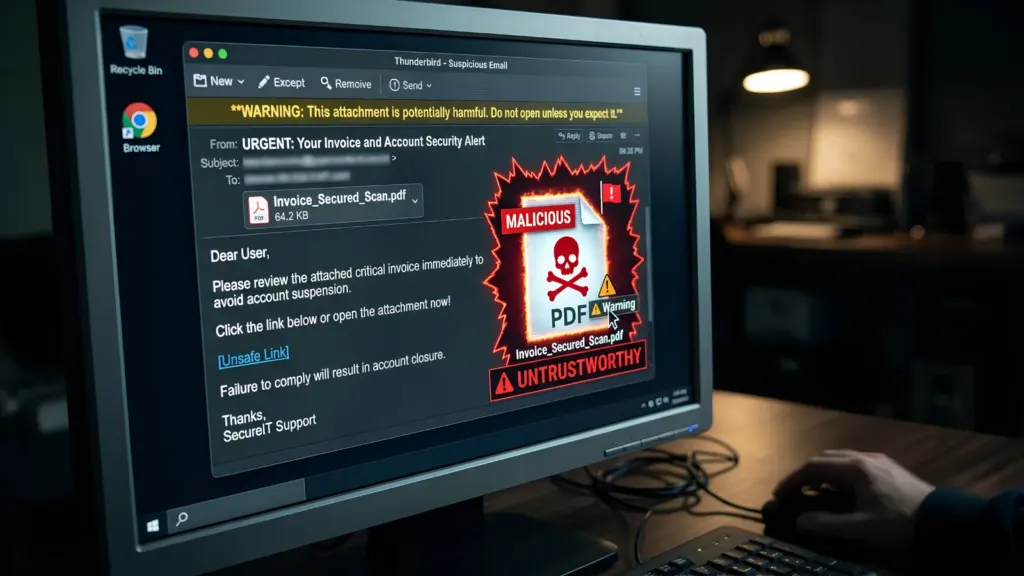
A PDF that arrives from outside the building is, as far as the parser is concerned, a program some stranger wrote. Inside most .NET applications, though, it still gets filed under paperwork. That habit has probably cost more than any single library bug. Open an ordinary-looking supplier invoice, and the library may meet JavaScript, an attached file, form actions, and compressed streams that swell on opening, all of it handled before your code gets a single word of text.
Check Point’s 2025 research on weaponized PDFs found that PDFs made up 22% of all malicious email attachments, and it put the format’s specification at nearly 1,000 pages. Adobe built the format in the early 1990s so a page would look identical on every screen, and three decades of added features have turned that page into something closer to an application.
The seven controls that follow are ranked by one test, which is how much harm each prevents after the others have failed. Developer convenience got no weight in that ranking. A few of these will slow the intake down. For anyone in the habit of uploading 900-page scans, the fourth will be a particular irritation.
1. Open Every File in a Worker That Can Afford to Die
Nothing else on this list matters as much. The parser belongs in its own worker process, a disposable one with no network, no database credentials, and nothing on disk beyond a single scratch folder. When the document is done, the process dies with it. For a .NET shop, that’s usually a small console app, started once per file and handed the bytes through standard input. Keeping a warm worker around for the next file saves a little start-up time. It also gives whoever took over that worker on the last document a seat at the next one.
Since the move to modern .NET, there’s been no way to get that isolation inside one application. When Microsoft rebuilt the runtime, the old in-process sandbox went, and so did extra application domains. For isolation, its porting guidance now points people to separate processes, containers or operating-system accounts. Some teams skip all of that because the PDF library they bought has a “safe mode” switch. The record of those modes is mixed at best.
In 2024, one bug was enough to switch off Ghostscript’s built-in sandbox for as long as the process kept running. The switch sat in the very memory the attacker was corrupting. Short of a second and much rarer exploit against the kernel itself, code running in a worker can’t flip an operating-system boundary off like that. That’s why this control comes first.
2. Pixels In, Text Out
Hunting through a hostile PDF for bad content means guessing at every place an attacker might have hidden something, and new places keep turning up. The second control skips the guessing. In the disposable worker, each page gets drawn as a picture, and OCR reads the text back off it. What comes out holds only what someone looking at the page would have seen. Scripts, attachments and invisible layers don’t survive the trip.
Once the hard half, reading text back from page images is routine engineering in .NET now. Apryse’s page on OCR-powered PDF processing walks through how that step slots into a C# back end. Given a scanned page or an image, the OCR module describes the text along with the position of each word. It doesn’t call out to the network while processing, either. For a worker whose network cable has been pulled on purpose, that’s convenient.
There’s a catch, and it lands right where the first control was pointed. To draw a page, the renderer must parse the hostile file. That parsing step is where one 2021 iPhone attack got in. Exploiting one buggy decoder for a compressed image stream inside a PDF, the attackers built a tiny computer out of more than 70,000 image-compression commands. Google Project Zero’s teardown of that exploit put it among the most technically sophisticated the team had ever examined. Systems downstream never see a file like that once it’s been rebuilt, but the worker doing the rebuilding sees all of it. Isolation stays at number one for that reason.
Some of what gets thrown away was wanted. A digital signature doesn’t survive being turned into a picture, and neither do fillable fields or the tags a screen reader relies on. Before anyone in security notices, the legal team or the accessibility lead probably will. Documents like that keep their originals and go through the stricter handling of the fifth control.
In practice, the line falls between document types. Accounts payable almost never needs more from a supplier invoice than what’s printed on it, and HR is in much the same spot with scanned job applications. For those, the rebuilt copy can be the only version staff ever opens.
Signed contracts and accessible public reports usually need their originals as well. Rendering at one fixed resolution and storing the OCR output with its word positions beside the rebuilt file also gives a reviewer a way to check what the machine read against what the page actually showed.
3. File Names Are Written by the Sender
A file’s description of itself proves nothing. Extensions, upload form fields and content-type headers are all written by whoever sent the file. That 2021 attack, which Apple patched in September of that year, reached its targets as files dressed up as GIF images, four of them really PDFs carrying the rigged image stream. A file name check would almost certainly have missed them.
Content checks carry a trap of their own. In that attack, iMessage didn’t trust the .gif extension either. It looked inside the files, found PDFs and passed them to the code that reads PDFs, which is exactly what the attackers were counting on. So sniff the first bytes for one reason only, to refuse whatever isn’t a PDF. Rerouting a surprise to some other parser that happens to recognize it comes uncomfortably close to what happened on those iPhones.
Checking those bytes for the PDF signature costs almost nothing. Earlier this year, a WhatsApp for Windows flaw could let malware pass as a PDF by hiding an invisible character in its file name, after which Windows would run it as a program. A service reading the first bytes would have found a program’s header where a PDF belonged.
Invisible characters deserve a blanket refusal. Attackers have long used the right-to-left override character to make an executable’s name read like a document’s, and rejecting control and formatting characters in uploaded names takes a few lines of code.
The .NET version of this mistake is usually a line of code that builds a storage path out of whatever file name arrived with the upload. A GUID makes a better name. The original can live on in a database column as a label, where it has no say in how anything opens.
Byte checks rank third because a perfectly honest PDF header can still sit on top of a file built to break the parser behind it.
4. Caps on Pages, Size, Memory and Time
Each cap turns a crafted file from an outage into a log line. Without them, the arithmetic gets ugly fast. PDFs mostly compress their contents with DEFLATE. Back in 2019, using nothing fancier than DEFLATE, one researcher packed a 10 MB zip file that unpacks to 281 TB.
Stack compression inside compression in a PDF stream and a small file can keep a server chewing for minutes. Nothing in it counts as a bug. Other crafted files simply never finish. When their internal references point back at each other in a circle, a parser that doesn’t keep track will follow them round indefinitely.
A timeout set inside the parsing library only fires if the library is still behaving normally. Because crafted files are built to stop exactly that, the kill switch belongs one level up, in the parent service. The parent ends the worker after so many seconds, or once its memory passes a ceiling, and writes down which limit tripped. On Windows, a job object can enforce both limits, and on Linux, a container’s memory setting does the same job.
These limits will reject legitimate files. A hospital archive or a law firm will eventually upload a scan that breaks every threshold, and somebody senior will ask you why the system is so fragile. Refusing that scan is the system doing its job. Once a limit starts bending for whoever complains loudest, it stops being much of a limit. Exceptions need their own slower lane, with a named person signing off on each one.
5. Switch Off What the Format Can Do
The fifth control covers the cases where the original has to be kept and shown to someone. JavaScript, launch actions, embedded attachments, form submissions and links that fire on opening should be disabled in every viewer and library that touches it. When researchers put 28 popular PDF applications through attacks built only from legitimate features of the standard, 26 of them failed at least one.
Settings like these tend to drift. A new release can bring along a feature that ships switched on, mentioned only deep in a changelog that few people finish. Then there’s the developer debugging a stubborn rendering problem, who turns scripting back on to rule something out, closes the ticket, and leaves the setting where it is. The cheapest guard is a folder of deliberately nasty test PDFs in the build. Should one of them ever manage to run a script or reach the network, the build goes red. As messengers go, a pipeline is much cheaper than a customer.
Web front ends deserve extra suspicion. A .NET back end often hands untrusted PDFs to a JavaScript viewer in the browser. In 2024, a flaw in PDF.js, one of the most widely used of those viewers, let a malicious document run attacker code inside the hosting site’s own domain.
The setting that made it possible was switched on by default. The researcher who found the PDF.js flaw published the Ghostscript bypass within roughly two months, which suggests, anecdotally at least, that the pool of people auditing these parsers is smaller than the list of products depending on them.
Serving uploaded documents from a separate domain can take as little as an afternoon of configuration, and a viewer bug then has much less to steal. GitHub moved its users’ pages off its main domain for much the same reason in 2013. Its engineers had concluded that scripts on a shared parent domain could tamper with the main site’s cookies in ways server-side fixes couldn’t fully stop.
6. Patch Document Parsers as if They Face the Internet
Whatever the network diagram says, any component that parses uploaded documents is facing the internet and should be patched on that basis. The awkward cases are native libraries tucked inside NuGet packages, which dependency reports focused on managed code can miss.
Ghostscript is a good example. It sits underneath many upload-preview and conversion tools, so a .NET application can inherit its bugs without Ghostscript appearing anywhere in the project file. In the morning, when an advisory lands, plenty of teams are writing down the full list of document-opening libraries for the first time.
Writing that list down in advance costs very little by comparison. A software bill of materials in the SPDX format (it became an ISO standard in 2021) has room for native binaries as well as NuGet packages. Once a week, somebody runs it against the latest advisories. When a parser flaw makes the news, the team looks up an answer it already has.
Mature code earns no exemption. Last month, Apple fixed a zero-day in its graphics framework that a crafted file could reach, five years after the same framework was hit through those disguised PDFs.
7. Keep a Quarantine Record of Every Original
Last place goes to a control that won’t stop anything on the day of an attack. Its value shows up weeks later. Each original gets hashed and parked in quarantine storage, along with a note of which worker opened it, which library version that worker ran and what came back out. Say a flaw turns up in March in the library version that the workers have run since January.
Finding every file that version touched is then a database query. And because the originals are still sitting there, a detection rule written next spring can be run against files that arrived this fall.
Give the application write access to that storage and nothing more. If the front end is ever compromised, the attacker can drop files in, but can’t page through other customers’ originals. The legal team decides how long anything stays there. Left alone, a quarantine that keeps everything tends to become the company’s biggest unwatched pile of sensitive documents.
The Words That Leave the Worker
Even with all seven in place, the text that leaves the isolated worker was written by the attacker. Good OCR copies it out faithfully. None of the seven controls reads it for meaning.
Downstream, it gets indexed and filed like any other text. Lately, it also ends up in prompts, handed to a language model that has been asked for a summary. No label comes along to warn anyone that a hostile file wrote it.
Imagine an invoice with one extra line in tiny grey type at the bottom of the page, telling whoever reads it to approve the payment. If a summarizer does as it’s told, it has just been exploited by a document that may well have cleared every control above. The danger is sharpest when one assistant holds private data, reads outside content and can send messages. That mix even has a name, the lethal trifecta for AI agents. As of now, nobody has a fully reliable defense against it.
If your team does one thing this week, find the process that reads the first byte of an uploaded PDF and list everything it could reach if an attacker had it for a minute. A list longer than a few lines puts the first control at the top of the next sprint. The second job is smaller. For that one, every scrap of text pulled from an outside document gets an untrusted label that follows it everywhere, prompts included.
No amount of script-stripping removes a sentence written for the next machine down the line. In a lot of organizations, nobody has decided which component is supposed to distrust that sentence. Fewer still have decided who answers for the damage when none of them does.


Community Discussion
Join the conversation. Ask questions, share solutions, and help others.
Be the first to start the discussion!