


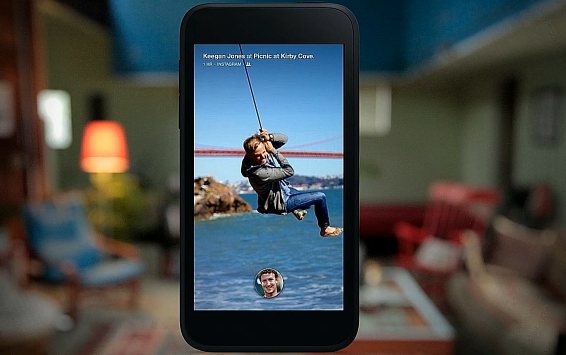
Till now hope all have got the news that Facebook have launched a smart phones. This phone is produce and design by HTC. On this Facebook have launched advanced app “HOME”. Great thing of this app is that this app will turn your mobile home screen to Facebook home screen.
From 12th April, users can download the apps from Google Play store by android based devices. The cost of this smart phone will $99.9. Facebook also mentioned that, app Home will be getting update with the time of 1 month.
Some Interesting Features
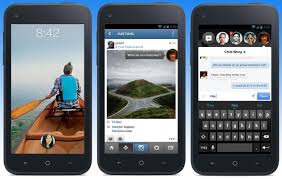
1) Cover Feed:- When ever user will open its phone then its cover feed will get automatically updated on the home screen. This will upgrade the fresh photos as well as users news feeds also.
Users can also like the status and comments on the photos or status o f friends.
2) Notifications:- After getting the update of the users accounts news feed, user also get the
notification of the activity that directly relates to the users. This is as same as when your friends post some on your timeline and you gets the notification of that activity. By this app users can also response to the notification. Additionally users can also hide this activity and prevents it from coming cover feed.
3) Chat Heads:- With the help of chat head users can chat with friends
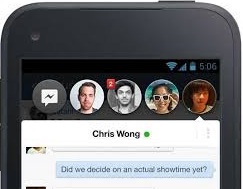
even the uses are using the other apps. If you will receive a message from any of your friends ten chat heads will show the picture of that friends. This chat head will be open till when the users are checking the e-mails, surfing on net or listing music. This is the great features of the chat heads.
 4) Instagram:- HTC first is the only smart phone in the world that comes
with the pre-insatalled apps “Instagram”. Hope all you know what the use of Instagram app. By this you can have click a picture and directly post it on your twitter accounts. This will also helps to share the pictures directly on Facebook also.
5) App Launcher:- After download of Home app, user can download
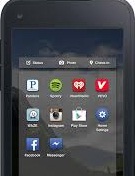 other app too. This will be as simple as was earlier. For this users just have to swap the apps to the favorites list. This is show all your apps on your home screen and users can drag the apps also.

Community Discussion
Join the conversation. Ask questions, share solutions, and help others.
Be the first to start the discussion!